
Technology Solved
A member of the Computer Troubleshooters franchise network

Why Your Business needs to think mobile to Stay Competitive

With the rise of Smartphone & Tablets increasingly small business needs to think about it mobile presence and the mobile customer experience. With mobile search now accounting for nearly 40% of all internet search and a recent study revealing that 49% of tablet and smartphone owners are using mobile apps to find local information, the pressure is on to satisfy this growing market.

Mobile websites pages & mobile apps are quickly becoming a necessity for small businesses to stay competitive. The key functions of a mobile website or app are to directly generate income, to increase brand awareness and serve as a customer service channel that promotes your business. By adding portability and location targeting to busy consumers, mobile can support purchase transactions, deliver turn-by-turn driving directions, offer coupon deals and promote social media interactions. With one tap of the screen, a customer can call you directly resulting in actual customer engagement and commerce opportunities for your business. If you don’t have a mobile friendly website or app in place, you might be missing out on 49% of a potential client base.

Step one for any business owner is to check the mobile experience for themselves.
The next step is to think like your mobile customers:

How to make you business more mobile friendly

• Customer Interaction should be interactive, easy and engaging. Enable the customer to arrive at the service they want in the fewest number of taps. This can make a positive impression on new customers who will become repeat customers. Check with your web developer that the mobile plug- in has been activated for your website.

• Promotional Features should give customers the incentive to use the app by offering special discounts, deals and reward points. Promotions should increase sales and develop customer loyalty in the process. How does this look on a mobile browser?

• Discounts and Location-based Features are the things consumers are always looking for with mobile apps. Consider combining these two features with a location finder and check-in process that presents the customer with a discount at your location. Check your phone number can be selected from your site as input into the smartphone keypad.

• A Social Media Feature should be as “friendly” as possible. Facebook and Twitter integration can encourage real time interaction between app users and their friends and help your business develop a fan base on social media sites.

Will Your Business Be Left Behind?

The trend in mobile usage is growing at an unprecedented pace. Whether it’s on an iPhone, iPad or an Android, everyone is using these devices to connect, gather information, take action and spend money. In the recent past, creating an app was a costly proposition that placed it outside the budget of small businesses. This situation has clearly changed as more small businesses are using mobile apps to attract customers. Currently, there are over one million apps available via Apple’s App Store plus a variety of tools that enable businesses to create their own mobile app. Simply put, think of it as the equivalent of a website twenty years ago. With so many people using it, shouldn’t your business be a part of it?

Developing a mobile friendly website or app can be an overwhelming task for a small business owner. But the fact is that if you want your business to stay competitive, then it’s time to explore the advantages of mobile. Give your local Computer Troubleshooters a call and we will help point your business in the right direction.

Posted in Computer Repair | Leave a comment

Windows XP-Less Than A Year Left!

Windows XP has been a robust Microsoft Operating system since it was launched 12 years ago. Amazingly almost 39% of Microsoft users are still on Window XP. So when Microsoft ceases support for Windows XP on April 8th 2014 what is likely to happen?

After this date Microsoft will stop releasing patches and updates to the operating system which will increasingly make it venerable to hackers and viruses. So the Windows XP environment will slowly decline and become more susceptible to failure the longer you stay on it. It is also likely that new applications and hardware will not be made compatible with XP, so networking will become increasingly difficult and new peripherals impossible to connect.

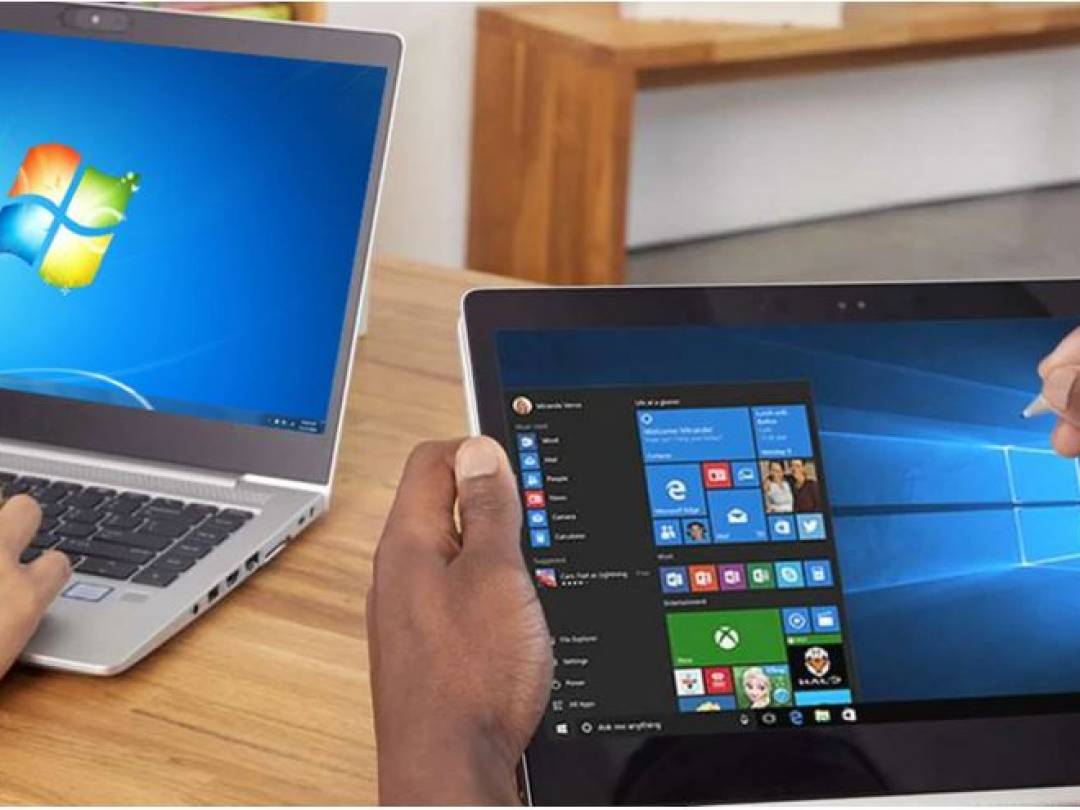
The good news is that the upgrade path is proven for most non enterprise sized customers with Windows 7 now with 45% of the market, which means most common applications and hardware are firmly supported. Windows 7 is also highly regarded as a faster more efficient processing system which means when you upgrade you should notice a performance increase, some say up to 15 times faster!

Windows 8 is still in its infancy with a much smaller installed base. The different look and feel of Windows 8 has spooked many users to stay with the proven & traditional look of Windows 7. Unless you plan to synchronize on multiple devices it is difficult to see a compelling need to change.

The reality is that Windows XP users will need to upgrade their operating system over the next 12 months to ensure that they will remain on a supported Microsoft platform , however business should check networking, applications, and hardware compatibility before switching.

Talk to your local Computer Troubleshooters about how we can help you upgrade from XP and maintain your business continuity.

Posted in Computer Repair | Leave a comment

What Are Managed Services?

The term “managed services” is generally defined as the practice of outsourcing day-to-day management responsibilities with the strategic goal of reducing costs while improving operational efficiency. A managed services provider typically refers to an outsourced information technology company that assumes responsibility for one or more aspects of a client’s IT functions. These responsibilities can range from a single specific task, such as managing network security or offering help desk support, to the complex management of running a client’s entire IT infrastructure. Most managed service providers bill a flat or nearly-fixed monthly fee benefiting clients with predictable IT support costs.

How Managed Services Can Immediately Benefit Your Business
Computer systems now form an integral part of most businesses’ ability to function. Can you remember the last time a computer crisis kept you from your “real job” – managing your business? It might be time to consider the immediate benefits of outsourced managed services for your business’ IT needs. Here’s a list of the top five benefits you can take advantage of by working with a managed service provider:

Control IT Costs by working with a managed service provider to create a customized IT service plan that suits your budget and the needs of your business. A service plan can help business owners reduce IT operational costs while actually providing a higher level of IT service for their business. Plans can be customized by the number of support hours required or the level of monitoring and maintenance that is needed each month. Capital expenditures for equipment will be reduced in addition to staffing costs.

Manage Labor Costs if you do not employ IT professionals in your business, you likely have a designated “go-to” person in the office that handles the technology issues for everyone. You can eliminate the time this person is spending on IT issues so they can get more of their actual work done.

Quickly Implement New Technologies with the help of a managed service provider. Skilled IT professionals can save you both time and money with the efficiency of on-demand services. Also, a managed services provider will have a strong understanding of your business and your technology, allowing them to understand your technology needs as well as your budget. This will save you time in trying to understand new technology, and money you may waste on buying products you do not need or that will not work for your specific network.

Increase Efficiency and Stay Competitive through economies of scale. Most managed service providers can provide small to medium sized businesses with access to technology and expertise usually only available to large companies. Your managed services professional can assist you with identifying the products and services that would benefit your business and are available in an option that will fit your needs.

Security can require constant vigilance. Is your firewall up to date; are you protected against malware; do you audit your servers; are you using the latest customer transaction systems for credit, debit, e-checks and wire transfers? Outsourced security monitoring leads to less down-time, enhanced efficiency and greater profits for your business.

Be Proactive and Consider Managed Services Today
Are you ready to forget about those IT headaches? Whether you only have a few PCs, a network or more than one server, you are probably ready for a managed service provider. Computer Troubleshooters’ managed service experts can work with you to assess your IT needs and develop a customized plan for your business. As a business owner, don’t you want to stay productive by focusing on the actual management of your business – not spending time fixing problems or worrying about what you will do if your systems stop working.

Talk to your local Computer Troubleshooter about how managed services can help to proactively manage your IT environment.

Posted in Computer Repair | Leave a comment

Best Practices for Disposing of Old Computers

Best Practices for Disposing of Old Computers

Newer and faster laptops, phones and tablets are being released every day it seems, but what are we supposed to do with the outdated devices we no longer want to use? The security of proprietary and personal information and environmental issues are the primary concerns when disposing of unwanted computers. Here are some guidelines we recommend when phasing out computers from your business or home.

Deleting a File Does Not Actually Erase Information

When you delete a file from the hard drive, the operating system only deletes the information that describes where the file is located. Simply deleting files, emptying the recycle bin or reformatting the hard drive is not enough to cover your digital tracks. In addition to documents, photos, videos, and private information that is accessible on your computer; there is also your Internet browser’s cache, cookies and history; email contacts and messages; and the recycle or trash folder.
Don’t take a chance with the security of your business and personal information. A Computer Troubleshooters technician can complete any of the following strategies when trying to secure your personal information on an old device.

The most cost-effective and commonly used strategy is the use of a software utility that overwrites the hard drive with random characters and binary data anywhere from three to more than 30 times. These utilities are typically referred to as data destruction software, hard drive eraser software or disk wipe software.

Another effective but more costly solution is degaussing. This is the erasure of information through the use of a powerful magnet. Degaussing disrupts the magnetic domains on the drive, which erases your data while also rendering the drive permanently unusable.
The physical destruction of a hard drive is the only way to absolutely and forever ensure that the data is no longer available. There are contractors who will perform this task on site, using the appropriate tools and safety precautions. We do not recommend this type of hard drive destruction by consumers.

Donate or Recycle Your Old Computer

Extending the computer’s lifespan through re-use provides the highest environmental benefit. There are many ways that bridge the digital divide by providing schools, non-profit organizations, family members, and students with needed technology.

When you donate or recycle an unwanted computer, there are a lot of details you will need to be concerned with such as; maintaining the security of information that was stored on the computer, or locating local technology recyclers.

Don’t feel overwhelmed by all of these details. Let your local Computer Troubleshooters take on the burden. One of our professional technicians will be happy to explore the various options available to you when deciding how best to dispose of an unwanted computer or laptop.

• If your computer is less than five years old chances are it can be put to good use. Most organizations have specific technology needs, so inquire in advance regarding donation guidelines.

• Most charitable contributions are tax deductible and computers are no exception. Business donors can generally deduct the un-depreciated value of the computer and individuals can deduct the current market value of a computer. Remember to retain your receipt for tax records.

• Consider donating your unwanted computer to a refurbisher who is equipped to repair and upgrade older computers. Certified refurbishers ensure that equipment works well and will pass on ready-to-use equipment at little or no cost to individuals and organizations. It is recommended that you remove your hard drive from any system that you donate to a refurbisher to ensure the security of your data.

• Even if a computer cannot be reused or refurbished there are reputable technology recyclers that can ensure valuable raw materials are recovered from old computers and that any waste is disposed of in an environmentally-safe and responsible manner.

• Let your local Computer Troubleshooters do all the work for you. Our technicians are trained experts in making sure your personal information is secure and responsibly disposing of unwanted devices.
Click here to find your local Computer Troubleshooters technician.

Posted in Computer Repair | Leave a comment

How Cloud Computing Can Benefit Your Businesses

More than ever, business owners need to squeeze even more productivity out of limited time, staffing and resources. Many small businesses see cloud computing as a way to access advanced technologies that were previously affordable only for larger companies. A recent survey conducted by CompTIA, a nonprofit IT industry trade association, stated that more than half of micro businesses (one to nine employees) and small businesses (ten to ninety-nine employees) use cloud-based business productivity applications. Analysts and industry leaders agree that global demand for hosted IT services will continue to expand rapidly as cloud-based solutions offer significant resolutions for organizations of all types and sizes. Can cloud computing services help your business succeed in the marketplace?

Give Your Business a Competitive Edge

Finding the right business tools is an important task. Cloud computing can help your business edge out the competition with reduced costs and enhanced productivity in a number of ways:
• The latest innovations in cloud computing are making business applications even more mobile and collaborative in ways similar to Facebook and Twitter. Consumers expect information in real time and more business applications in the cloud are heading in that direction.
• Accessing specialized computer resources as they are needed enables businesses to quickly deliver quality results with greater affordability. Faster turn-around time can propel you ahead of your competition.
• You can bring your product to market faster and generate higher revenues as customers are able to access the service immediately.
• Cloud computing can enable innovative business initiatives that generate new value propositions and revenue streams. Some companies, such as Spotify, are building entirely new business models solely using cloud services.
• Cloud computing services can help you gain “business agility” with efficient projects that allow your employees to spend their time on work that has a greater potential value to your business.
• Utilizing cloud computing services can enable your business to shift from a capital expense model to an operational expense model. By forgoing long term financial IT commitments, an organization can complete projects more quickly without losing any investment.
Cloud computing might sound over-hyped and tech-heavy, but in reality it’s a rising trend among small business owners. If you want to learn more about the advantages of cloud computing for your business, contact your local Computer Troubleshooters office. One of our computer professionals will be happy to meet with you to explore the benefits of cloud computing for you and your business.

Posted in Computer Repair | Leave a comment

Can Your Business Survive a Data Loss?

Most businesses report that they are not properly prepared to combat the risk or to bounce-back in the event they suffer a catastrophic data loss. There are a number of factors that affect the majority of businesses today and may increase their susceptibility of a data loss:

• Business owners incorrectly assume that quality backup services are too expensive or beyond what they need.
• Businesses are often using out of date technology for their data backup and storage needs and assume that it is working.
• The number of online security threats has increased.
• Many companies are trending towards BYOD- or “bring your own device”- and therefore there is an increasing amount of company and client data stored on employees’ personal laptops, smartphones, tablets and other mobile devices, that is likely not protected or backed-up even if the company devices are.

What is the Real Cost of Data Loss to a Business Owner?

According to the Gartner Group 43 percent of companies were immediately put out of business by a major loss of computer records, and another 51 percent permanently closed their doors within two years. This leaves a mere six percent “survival” rate.

What about a loss that is not catastrophic? This type of data loss is an expensive problem as well that costs organizations an estimated average of $200 per record affected according to a recent survey by Ponemon Institute, though to some degree the true costs associated with data loss are difficult to measure.

What can be Done to Avoid a Catastrophic Data Loss?

Implementing a data protection program is essential for every organization. While most business owners recognize that their data files are their livelihood, more than half admit to not having a quality data backup protocol in place. Here are some tips on what you can start doing today to protect your business:

• Accept the fact that your data is at risk. The reality is that computer hard drives, whether on a server, a desktop, or a laptop, will fail.
• Invest now to save money, and your business, later. An automated and fully protected backup service starts at about $30 per month (depending on the amount of data being backed up) and provides you with the peace of mind that your data, and your business, are protected. The cost of attempting to recover deleted data, once lost, is significantly more expensive and is estimated that 20 percent of lost data is not recoverable!
• If you do not have a data backup and recovery plan, get one! Call your local Computer Troubleshooter and request an evaluation of your data backup needs. They will then be able to provide you with options that will meet the specific needs of the business and your budget.
• Check the viability of the backed up data regularly. Don’t make the mistake of assuming that your backups are being done, whether your company uses a manual or automated backup process. Also, never assume the data is retrievable. Talk with your Computer Troubleshooter technician about your current backup solution to verify that it is still the best option for your needs.
• Make data protection a company-wide initiative. Work with your Computer Troubleshooter technician to develop policies and a plan of action for all employees to follow regarding the proper location and access to company data to ensure that data is being backed up as well.

A proactive approach to protecting your data and establishing a plan for recovery in the event of a loss is smart business. Ask your local Computer Troubleshooter about the best protective mechanisms for your data or for assistance with any of the above recommended tips before it is too late!

Posted in Computer Repair | Leave a comment

CT partners with Anti-Malware firm

Computer Troubleshooters has partnered with SuperAntiSpyware, an industry-leading provider of anti-spyware & anti-virus tools.  Effective May 1 all Computer Troubleshooters around the world will have access to SuperAntiSpyware, technician-edition, as part of their CT toolkit.  For the full press release, click here

Posted in Featured, News | Leave a comment

CT on ABC News

Computer Troubleshooters CEO Chip Reaves was featured on ABC News this week in a segment about malware threats via social media (Facebook, Twitter, etc).  You can see a copy of the clip here.

Posted in News | Leave a comment

CT in Franchise Entrepreneur magazine

This month our own Joe Maina (owner of CT-Coquitlam in Canada) was featured in Franchise Entrepreneur. You can find the article online here.

Posted in News | Leave a comment

CT featured in WebWorkerDaily

WebWorkerDaily interviewed CEO Chip Reaves about the emerging threat from social media malware – you can read the complete article here.

CT has also been featured in several other publications lately, like this article from CIO.com.

Posted in News | Leave a comment